Self-Custody Toolbox
Guides, checklists, and tools that help you control your own keys, secure wallets, and protect your crypto.
Secure self‑custody is a system, not a device.
A successful crypto self-custody setup is often misunderstood as simply buying the most secure hardware wallet.
True security comes from the right tools, smart habits, and a clear process that works together as one unified system.
This self-custody toolbox outlines the essential devices and practices needed to reach the highest possible level of security and peace of mind.
These are the six self‑custody security domains: the core areas that make up a complete crypto safety setup, with each domain explored in depth in the sub‑sections below.
- 01. Wallets & Key Storage
- Hardware Wallet (cold) - Transactional Wallet (hot)
- 02. Backup & Recovery
- Backup - Insurance - Inheritance
- 03. Review & Permissions
- Backup Audit - Access Revocation
- 04. Identity, Access & Online Security
- Password Manager - 2FA Online Security
- 05. Device & Network Protection
- VPN - Antivir - Updates
- 06. Operational Security & Education
- Operational Security - Scam Awareness - Multi-Wallet Role System









Offline keys, on‑device confirmation, uncompromised control.
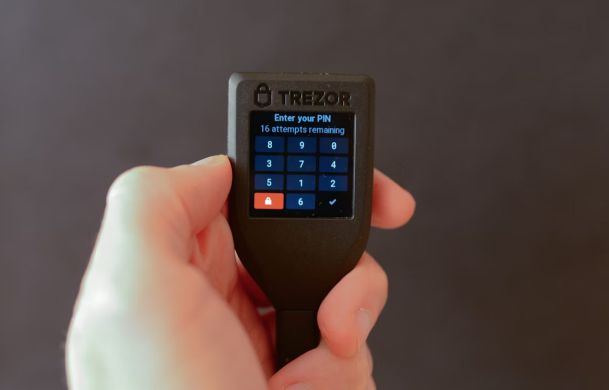
Hardware Wallet
A hardware wallet is a dedicated physical device that generates, stores, and uses your private keys entirely inside its own secure environment, instead of on a general‑purpose phone or computer.
Its core security purpose is that every outgoing transaction must be visually verified on the device’s own screen (amount, asset, address) and then physically confirmed by you via a button press or similar hardware action, before any signature is created.
This flow ensures you are not blindly trusting your phone or computer display and that no transaction can be executed without your explicit, tactile confirmation on the device itself.
It creates a clear separation between your everyday, attack‑prone devices and the critical signing environment that controls your funds.
This separation preserves long‑term holdings even if your laptop or phone is fully compromised.
Once you have it, you set it up one time (PIN, recovery phrase) and then use it together with a “companion” device like your laptop or phone plus a wallet app that talks to the hardware wallet.
Whenever you want to send a transaction, you connect the hardware wallet to that companion device, check the details on the hardware wallet screen, and physically approve it on the device so the transaction can be signed and sent.
Buy it new from the manufacturer or an authorized reseller, check for tampering, and always initialize it yourself so you know the seed was generated on-device.
Do one or two small test deposits and withdrawals to learn the flow and confirm your backup works before sending serious amounts.
Always verify addresses and amounts on the hardware wallet screen itself, not just in the browser or app, to defeat clipboard malware and phishing.
Your everyday spending wallet for smaller amounts.
Transactional Wallet
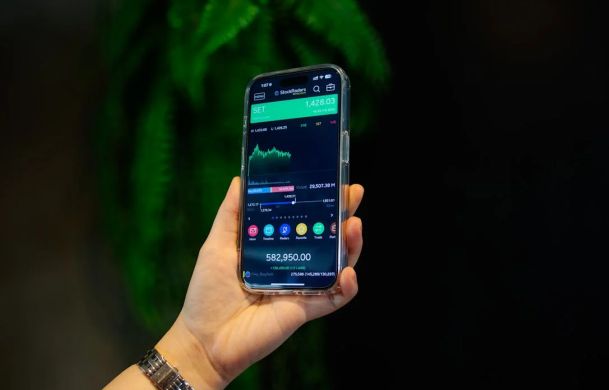
A transactional wallet is a separate wallet you use for everyday payments, experiments, and frequent activity, not for long‑term savings.
It usually runs on a more convenient but less secure device, like your phone or daily‑driver laptop.
This wallet is where you keep “spending money” rather than your core HODL stack.
It lets you enjoy fast, convenient spending while your primary savings stay parked in a safer, rarely used wallet.
This separation greatly reduces the impact of hacks, scams, or device loss, because only the smaller transactional balance is at risk.
Pick one that supports the specific coins and networks you actually use and has an interface you feel comfortable with on your phone or laptop.
Set it up with a new recovery phrase, write that phrase down and store it offline, then use this wallet only for everyday sending and receiving while keeping your main savings elsewhere.
Cake Wallet and Edge Wallet are solid options for on‑chain spending, while Blink shines for cheap and quick Lightning payments.
Before relying on any of them, do a small test deposit and restore so you know the backup works in practice, not just in theory.
To improve privacy, avoid mixing long‑term HODL coins and daily spending in the same wallet, so your big stack is not trivially linked to everyday payments.
Secure. Offline. Unbreakable.
Backup
A hardware wallet backup is a written, engraved, or digital copy of your recovery phrase (on paper, metal, SD card, or smartcard) stored separately from the device.
It usually consists of 12 or 24 words, but can also follow different formats or be “seedless,” depending on the wallet’s design.
It acts as the failsafe if your hardware wallet is lost, destroyed, or stops working.
It separates your long-term savings from the risk of theft, damage, or technical malfunction.
It solves the problem of a single point of failure by giving you a secure, independent way to recover your wallet.
Store it in a hidden, secure location (or multiple locations) that others cannot easily access.
Only use the backup to restore your wallet on a trusted, secure device when your original hardware wallet is unavailable.
You’re pulled in opposite directions: “more copies” is good for resilience but bad for unencrypted security, and “fewer copies” is good for secrecy but bad for long‑term recovery.
You break this paradox by keeping a few extremely well‑protected physical seed backups (paper/steel) plus many strongly encrypted digital backups (SD card/smartcard) that are harmless without the decryption key.
You can also use a password manager to store a secure note describing where your physical backups (paper/steel) are and what encrypted backups (SD card/smartcard) exist, without ever writing the seed itself.
Protection when your data gets attacked.
Cyber Insurance
Cyber insurance for crypto is a policy that helps cover financial losses from hacks, theft, or security breaches involving your digital assets.
It also addresses scenarios linked to targeted attacks on you personally, such as extortion, coercion, or kidnapping-related demands, depending on the policy wording.
Instead of replacing strong security like hardware wallets and backups, it adds a financial safety net for when both technical defenses and personal security are breached.
It can cover specific events such as exchange hacks, wallet compromises, ransomware, or insider fraud, depending on the policy.
This matters because even with strong self-custody practices, human error, zero-days, and third-party failures can still cause serious loss.
Carefully document your security setup (hardware wallets, multisig, backups, access controls) because insurers often require minimum standards and proof after an incident.
Regularly review coverage limits, exclusions, and claims procedures so you know exactly what is protected and how to act immediately after an incident.
Verify that your operational practices (key storage, device security, user accounts) still meet or exceed the insurer’s security requirements.
Keep a concise incident playbook (what to do, who to contact, which evidence to capture) so you can respond fast and cleanly if you ever need to file a claim.
Your coins, delivered to the next generation.
Inheritance
This is a plan that ensures your digital coins can be accessed by your chosen people if you die or become unable to act.
It combines technical setup (wallets, keys, backups) with legal and practical instructions that others can actually follow.
Think of it as a bridge between your self-custody setup and the people who should receive your assets later.
It reduces family stress and conflict by making clear who gets what and how they can safely unlock it.
It solves the problem that strong privacy and security, if not planned for, can lock out your heirs just as effectively as it locks out attackers.
Use legal structures (such as a will or local equivalent) and, if needed, trusted professionals to formalize who should receive the assets.
Design a process where your keys or recovery information are only fully revealed under specific conditions (for example, your death) but never exposed in everyday life.
Ask: “If I vanished tomorrow, could the right person follow this without guessing?”
If not, simplify and clarify your instructions, and consider third‑party services with strong multi‑factor access controls or hardware wallets that integrate such inheritance features as part of their service.
Verify regularly to ensure recovery works when it matters.
Backup Audit
A backup audit is a regular check to confirm that your wallet backups actually exist, are complete, and can be used to restore.
It focuses on verifying the media (paper, steel, SD card, smartcard) and the information (words, order, files, encryption) rather than creating new backups.
Think of it as a health check for your recovery setup, making sure your backups will work when you need them.
It helps you catch issues like unreadable steel, smudged paper, corrupted encrypted files, or forgotten locations before they turn into permanent loss.
By auditing regularly, you turn your backup from a blind hope into a tested, reliable safety net for your self-custody.
Check that each backup is present, readable or accessible, and clearly labeled or documented so you know which wallet it belongs to.
Optionally perform a test restore on a spare or wiped device using one backup, to confirm the process works end-to-end without exposing the seed to networked systems.
Update your documentation if you move, add, or remove backup locations, and keep a concise note (for example in a password manager) so you don’t rely on memory.
If something feels unclear or confusing during the audit, treat that as a signal to simplify your setup before it becomes an emergency.
Efficiently withdraw permissions the moment they’re no longer justified.
Access Revocation
Access revocation in smart contracts is the process of cancelling previously granted permissions so a contract, dapp, or address can no longer move or use your tokens.
Practically, it means removing token allowances or roles that let a contract spend on your behalf.
A common tool for this is Revoke.cash, which lets you see and cancel existing approvals from your wallet.
It fixes the problem where a single unlimited approval you gave months or years ago can later be abused or hacked.
By revoking, you sharply reduce the damage that a compromised dapp, rug pull, or outdated contract can cause.
Identify contracts you no longer use or don’t recognize and send a revocation transaction for those permissions.
After revoking, re‑grant only minimal, purpose‑specific approvals when you actually need to interact with a dapp again.
If you don’t remember why a contract has permission to spend your assets, treat that as a candidate for revocation.
When in doubt, revoke first; you can always re‑authorize later under safer, more controlled conditions.
Centralized, secure control for all credentials.
Password Manager
A password manager is a tool that securely stores your logins and sensitive notes under one strong master password.
In a high-security setup, it works entirely without cloud sync, keeping your vault local and under your direct control.
You use it for exchange accounts, email, banking, 2FA backup codes, and the locations of your wallet backups—but never for the raw seed phrase itself.
By avoiding cloud storage and keeping offline copies of your encrypted vault, you reduce exposure to remote breaches while staying resilient to device failure.
It also gives you one organized place to track where your crypto backups are stored and which accounts guard your funds.
Store logins for exchanges, email, financial services, 2FA recovery codes, and notes with the physical locations of your hardware-wallet backups—but never the seed phrases themselves.
Periodically export an encrypted backup of the vault and keep offline copies (for example on an SD card or USB stick) in secure locations.
Verify that every critical account (exchanges, email, identity providers) is in the manager and protected by strong passwords and 2FA.
A well-regarded option for this kind of local, no-cloud setup is KeePass, which is open-source, mature, and widely used in security-conscious environments.
An extra verification layer guarding every sign‑in.
2FA Online Security
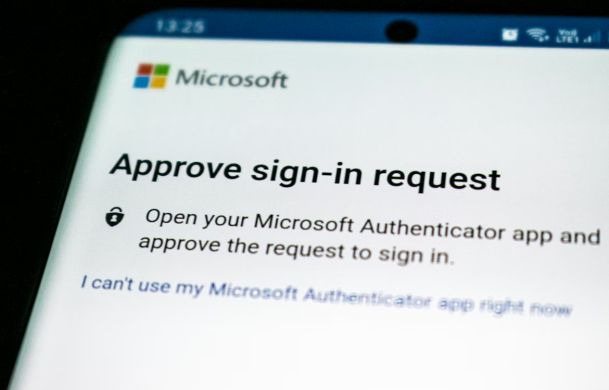
What people call “2FA” is simply a second authentication step on top of your password, such as an email code, SMS, hardware token, or a code from an authenticator app.
It is so strong because it requires a physical device in your vicinity (phone or hardware token) that an attacker on the internet cannot easily hack or reach.
Modern authenticator apps generate time-based codes on your device, and each setup has a master or recovery code that lets you restore access if your phone is lost.
Even if someone steals or guesses your password, they still need your second factor to get into the account.
This turns many common online attacks from “account takeover” into a blocked attempt that never reaches your sensitive accounts or data.
Write down or print the recovery code and store it separately from your phone (for example with your other security backups), so you can recreate your 2FA if the device is lost or destroyed.
Avoid authentication apps that automatically sync everything to the cloud; use one where you can disable cloud backup—such as 2FAS Auth with cloud backup turned off—and keep control over your secrets.
Store your 2FA recovery/master codes in your password manager as secure notes, so you can rebuild your setup if a device is lost.
Use the available export/migration features in some authenticator apps to move your 2FA entries to a new app or device in a controlled way, instead of re-enrolling everything from scratch.
Mask your location and shield your crypto from prying eyes.
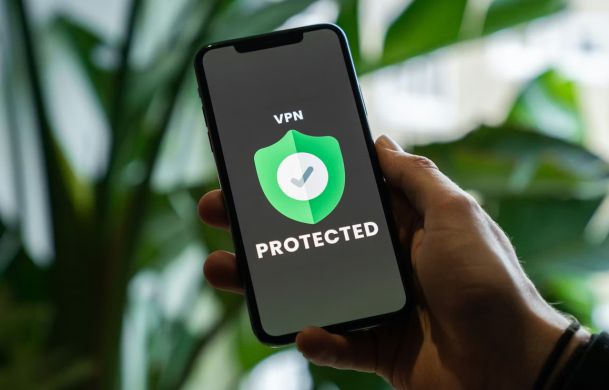
VPN
A virtual private network routes your traffic through a remote server and encrypts it so others on the network cannot easily see what you are doing.
It hides your real IP address from websites and most intermediaries, replacing it with the server’s IP instead.
This makes tracking you across networks and locations significantly harder.
A VPN helps solve the problem of insecure public Wi‑Fi, surveillance, and basic IP-based blocking or profiling.
It also reduces some risks when managing sensitive accounts like email, banking, or crypto services over untrusted networks.
Turn it on before opening browsers, exchanges, or wallets so all traffic from those apps goes through the encrypted tunnel.
Keep it enabled whenever you are on public or shared Wi‑Fi, and avoid switching it off just for minor speed gains.
Enable features like a kill switch and auto-start so you do not accidentally browse unprotected if the connection drops.
There are many different VPN providers available, and you should choose one that fits your needs, budget, and threat model. One that I recommend is Trust.Zone, which is a solid option for privacy‑focused users.
An extra verification layer guarding every sign‑in.
2FA Online Security
What people call “2FA” is simply a second authentication step on top of your password, such as an email code, SMS, hardware token, or a code from an authenticator app.
It is so strong because it requires a physical device in your vicinity (phone or hardware token) that an attacker on the internet cannot easily hack or reach.
Modern authenticator apps generate time-based codes on your device, and each setup has a master or recovery code that lets you restore access if your phone is lost.
Even if someone steals or guesses your password, they still need your second factor to get into the account.
This turns many common online attacks from “account takeover” into a blocked attempt that never reaches your sensitive accounts or data.
Write down or print the recovery code and store it separately from your phone (for example with your other security backups), so you can recreate your 2FA if the device is lost or destroyed.
Avoid authentication apps that automatically sync everything to the cloud; use one where you can disable cloud backup—such as 2FAS Auth with cloud backup turned off—and keep control over your secrets.
Store your 2FA recovery/master codes in your password manager as secure notes, so you can rebuild your setup if a device is lost.
Use the available export/migration features in some authenticator apps to move your 2FA entries to a new app or device in a controlled way, instead of re-enrolling everything from scratch.
Outsmart malware before it makes a move.
Antivir
Securing a PC, laptop, or mobile for crypto means hardening the device and its apps so malware, keyloggers, and unauthorized access cannot steal your keys or intercept transactions.
It covers the operating system, browser, wallets, and network connections you use for crypto activity.
Think of it as building a dedicated, hardened environment for handling money rather than casual browsing.
It helps protect both your identity and your transaction history from being exposed or abused.
By closing common attack paths like phishing, malware, and insecure networks, you make successful attacks much less likely.
Schedule regular full system scans and enable real-time protection so new files and downloads are checked immediately.
Before making crypto transactions, ensure your antivirus is running, up to date, and has recently completed a scan on the device.
Take any malware hit very seriously and investigate before doing more crypto activity.
Sometimes full node wallets can trigger false alarms, but if you downloaded the wallet from a reputable source, it is usually safe.
Updates: essential maintenance for a stable, secure system.
Updates
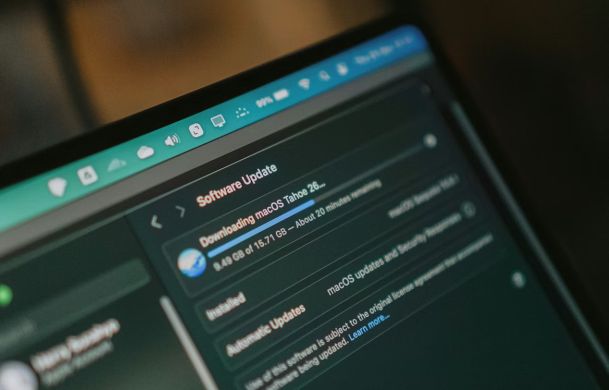
Updates are official releases from developers that fix bugs, patch security vulnerabilities, and improve performance for your operating system, wallet apps, and hardware wallets.
They can include critical security patches that close newly discovered attack paths.
Firmware updates on hardware wallets do the same job at the device level, improving how keys are handled and stored.
Keeping your PC, mobile OS, wallet apps, and hardware wallet firmware current helps prevent known vulnerabilities from being used against you during crypto transactions.
They also reduce crashes and glitches that could cause transaction errors or confusion when handling funds.
For hardware wallets, follow the vendor’s instructions carefully, verify you are on the official site, and never enter your seed phrase as part of an update.
Apply updates during a calm window (not mid-transaction), and verify afterward that everything still works as expected.
Keep a simple log or reminder of the last time you updated each critical component so long gaps stand out quickly.
Everyday discipline for staying safely off the radar.
Operational Security
Crypto operational security is the set of practical habits and decisions you use to keep your identities, devices, and wallets separated and hard to target.
It focuses on how you behave, not just which tools you install.
This includes things like compartmentalizing accounts, avoiding oversharing, and planning how you interact with exchanges, wallets, and communication channels.
Good practice reduces risks like doxxing, targeted phishing, social engineering, and linking your real-world identity to your holdings.
By tightening what you reveal, where you log in, and how you communicate, you make yourself a much harder and less attractive target.
Avoid talking about specific holdings, transaction sizes, or detailed setups in public channels, and even to people you personally know.
Use a separate, “clean” environment for high‑value actions, such as a device or browser profile reserved only for your main wallets and key transactions.
When buying hardware wallets, do not use your real home address if you can safely receive them elsewhere, and avoid matching delivery details with your public identity.
Periodically ask exchanges and service providers to erase your stored data where laws allow, and close accounts you no longer need to reduce your exposure surface.
Learn the tricks before they learn you.
Scam Awareness
Crypto scam awareness is the skillset of recognizing and resisting attempts to trick you into giving up money, keys, or sensitive information.
It covers broad, low-effort attacks like phishing campaigns, as well as highly targeted, psychologically sophisticated schemes.
The goal is to train your brain to spot patterns, red flags, and manipulative tactics before you react.
Mass attacks like phishing emails, fake airdrops, and spam DMs rely on low success rates but reach huge numbers of victims; being aware of common signs (fake domains, urgent language, requests for keys) dramatically cuts your risk.
Social engineering attacks aim at individuals and can be extremely successful, using advanced psychological tricks like authority, urgency, and emotional bonding, so your best defense is recognizing these methods in advance.
Understand that social engineers will often invest time to build trust, mirror your language, and slowly push you toward “urgent” actions, such as moving funds or sharing screens.
Build default rules like “never share seed phrases or codes”, “never sign blind transactions under pressure,” and “always verify through a second, independent channel” before acting.
Common signs include strangers approaching you directly, pressure for an urgent reaction, unreasonable claims like “your wallet was hacked”, unexpected DMs or calls, and anyone trying to get you to do something unusual with your funds or security.
If you have even a slight gut feeling that something is off, but you cannot pinpoint why, treat that feeling as your final safety net against scams. Pause immediately and stop whatever action you are about to take, no matter how small it seems. Only continue after you have stepped back, taken a break, and discussed the situation with someone you genuinely trust who is not directly involved.
Different wallets, different jobs, one coherent strategy.
Multi Wallet Role System
A multi‑wallet role system is a structured way of using several different wallets, each with its own seed phrase and a clear job (vault, warm, hot).
You deliberately separate these seeds so no single compromise exposes everything.
In practice, you design which wallet/seed can touch which contracts, hold which assets, and live on which device.
By assigning roles to different wallets and seeds (deep cold storage, interaction, spending), you contain damage if any one seed or device is compromised.
You can then match security to value: very strong, inconvenient setups for high‑value seeds and more convenient setups for low‑value ones.
Store each seed phrase separately and securely, and never reuse the vault seed on any device or browser profile that touches random contracts.
Use interaction/spending wallets for all experiments and only top them up from the vault, never the other way around.
If you ever catch yourself about to use your high‑value/vault seed for a “quick” mint, airdrop, or test transaction, stop and switch to the lower‑risk wallet instead.
A hardware wallet that can handle multiple independent seeds is a great way to implement this setup cleanly, and you should periodically review whether any seed is being used outside its intended role and, if it is, move assets and tighten the rules before it becomes a habit.
START YOUR JOURNEY INTO SELF-CUSTODY!
Email-Based Crypto Self-Custody Course
★ no prior crypto knowledge neccessary ★
★ our learning material is consequent non-technical ★
★ manageable, weekly tasks - only a few hours every week ★
★ receive conveniently by email and just reply for individual support ★
★ unlimited access to private community of like-minded self-custody learners ★
Our unparalleled approach, which combines self-guided learning with personalized support exactly when you need it, is the key to achieving self-custody with confidence in just a few weeks.
Self-Custody Online CourseWhy Choose Us?
Our coaching stands apart from the rest, as we employ a deeply empathetic approach that allows us to meet you at your skill level.
We understand
We answer
We coach
We empower
Contact & Follows
Looking forward to connecting with you!